History Technology Project Ideas

As a follow up to our focus on technology integration at the department level, and after meeting with all department heads, below are detailed a number of technology project ideas (using either the iPads, the computer labs or the 3D printer) specific to your department. It is our hope that at least one of these ideas might inspire you as you plan out your courses for the rest of the year.

1. Using Google My Maps to create custom maps of historical and political events. Students can create their own maps with points of interest, images, text and directions. Here are the detailed steps for creating a Google My Maps: http://www.educatorstechnology.com/2015/08/excellent-google-maps-tutorials-for-teachers.html. And you can see some examples made by our middle school last year here: https://blogs.hebronacademy.org/technology/2016/04/22/grade-6-google-maps-ski-trip/.

2. You can take custom map making to the next level by using Scribble Maps (https://www.scribblemaps.com) which allows students completely annotate a Google Map with lines, shapes, links etc. Here is a good example of what a student project can look like: https://www.scribblemaps.com/maps/view/LollyRun_
TelarahRutherfordAberglasslyn/LollyRun2016

3. I want to highlight a couple of alternative timeline apps to Timeline 3D, which I know has quite a lot of limitations: https://itunes.apple.com/app/timeline-maker/id527025710?mt=8, https://edu.hstry.co, https://timeline.knightlab.com

4. One project that could be used in most classrooms is the student creation of an interactive textbook using either the iPad app Book Creator (https://itunes.apple.com/us/app/book-creator-for-ipad/id442378070?mt=8) or iBooks Author (http://www.apple.com/ibooks-author/) in the library computer lab. iBooks Author is the app Trevor used to create his writing textbook. Students could create these for themselves as study guides or for younger students and they can contain all types of media, graphics, audio and video.

5. Create a screencast with the Explain Everything app. This app lets you import all kinds of media and files and lets a student basically record a presentation as a video into the iPad. It records all their movements and annotations within the slides as well as recording their voice. Is very useful for students to plan out and explain a complicated concept. This gives you a good overview of the app: https://blogs.hebronacademy.org/technology/2015/02/19/explain-everything/

6. Here is an excellent Apple classroom example of how a History unit could be taught in an iPad classroom: http://www.apple.com/education/teach-with-ipad/classroom/tudors/

7. Here are a couple of different services and an example of some interesting infographics that can be created using technology: https://infogr.am, https://www.canva.com/create/infographics/, http://www.informationisbeautiful.net. These are creative ways of visualizing data and could be used for presentations or classroom displays.

8. There is a large selection of historical and strategy games that are available on the iPad. These are interactive games that contain a lot of useful content. Here is an example: https://itunes.apple.com/us/app/battle-of-the-bulge/id521833787?mt=8)

9. Historical interviews/podcasts/recordings using AudioCopy or GarageBand. This could be as simple as recording scripted conversations or role plays and then editing them for errors, or creating complete radio shows with professional postproduction including a soundtrack, sound effects, etc. This presentation gives a good overview of podcasting in the classroom: https://docs.google.com/presentation/d/1lRc8rAVVNR61VR6JnEhspH84W93v
NZ8VMX6GL3Lmo4U/present?slide=id.g838051e1d_2_3

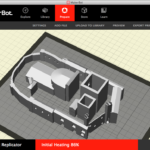
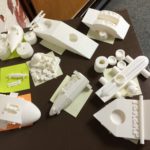
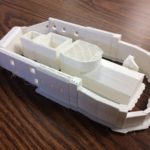
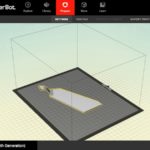
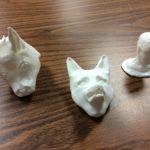
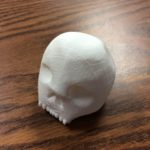
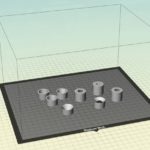
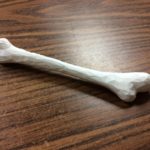
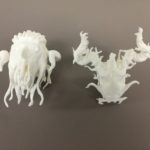
10. Creation of historical artifacts, buildings and archeological sites in 3D. Using modeling tools like SketchUp, Tinkercad and Sculptris students are able to create all kinds of 3D shape and objects that can then be printed in physical form. Multiple objects can be created and then positioned together to create more detailed models, for display or presentation. Here is a good overview of what has been done with our 3D printer so far: https://blogs.hebronacademy.org/technology/2016/10/21/3d-printer-update/

Posted in Professional Development | Comments Off on History Technology Project Ideas

Humanities English – The Monkey King Comic Book

In the fall trimester, Humanities English students study Chinese poetry and literature to accompany the Chinese history they learn in Humanities History. In the class’ study of classic Chinese folk tales, the students read Timothy Richard’s translation of Wu Cheng’en’s The Monkey King’s Amazing Adventures. The students were paired up and assigned different excerpts, so collectively, the class read the entire novel. The pairs were then tasked with bringing their excerpt to life through the use of a comic strip that depicted the most crucial pieces of the story.

Mr. Crofton introduced the students to the functions of the Comic Life app on their iPads that they would use to create their comic strips of sixteen cells or fewer. The pairs then created storyboards to guide them as they developed their comic strip in the app. The students worked in class and outside of class on their comic strips and the finished results compiled together can be read below.

Mr. Harrison, Humanities English teacher

Posted in Tech in the Classroom | Comments Off on Humanities English – The Monkey King Comic Book

Conceptual Physics – 3D Car Design

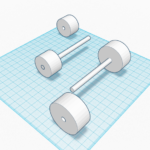
A project that Freshmen complete every year in their Conceptual Physics course is designing and creating cars that are raced down a ramp and measured for speed and distance travelled. This year we decided that students should design their cars completely using Tinkercad to create parts to be printed on the 3D printer (in previous years we have allowed the use of Lego parts).

The project started with an introduction to professional car design based around this video from BMW. We talked through the three main steps of: drawing and sketching their design ideas; prototyping using clay to create a 3D model; and then manufacture. We also spent some time discussing wheel design and how wheels could be attached to the main body of their cars.

We then worked through these same steps using the sketching tools in the Notability app to create 2D designs, modeling clay from the art department to create their prototypes and finally Tinkercad to create their car parts for the 3D printer for manufacturing.

A selection of photos of the students working on their iPads and in the Library iMac lab, some of their car sketches, clay prototypes and a selection of the finished printed models can be seen below:

Posted in Tech in the Classroom | Comments Off on Conceptual Physics – 3D Car Design

US History – Freedom Trail Video Tours

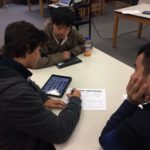
On a recent trip to Boston, US History students spent the day walking along the Freedom Trail and documenting the day by taking pictures and movies with their iPads. Once back in school they had to work in groups to put together a professional video, edited with the iMovie app, recreating their walking tour using a range of the different footage and photographs each group member had taken.

To create their finished videos they all had to follow these production steps:

  1. Collect together clips and photographs onto one iPad
  2. Storyboard their ideas to create a basic clip order/narrative
  3. Construct their timeline – order/trim clips & images together
  4. Add titles – include intro title and credits
  5. Check and edit transitions
  6. Remove any unwanted audio & record any voice over
  7. Add any background music or sound effects
  8. Check all audio volume levels
  9. Watch through entire video to check for any errors
  10. Save, rename and share your finished movie

Here are some examples of the completed video tours, again made using photographs and video from the trip, and some pictures of the students working in class on their iPads:
Posted in Tech in the Classroom | Comments Off on US History – Freedom Trail Video Tours

Spanish 1 – Day of the Dead Multimedia Project

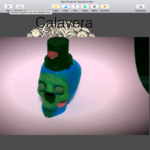
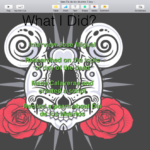
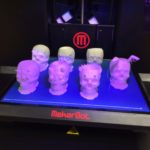
To learn about, and in celebration of, the Dia de los Muertos (Day of the Dead) festival, Ms. Hemmings’ Spanish 1 class recently completed a multimedia project based around the topic. This included creating 3D Sugar Skulls using the 3D printer, as well as audio and video recordings in Spanish and creating a presentation to packaging together everything they had learned.

Each student’s presentation had to include the following parts:

  • Introduction to the project
  • History of Día de los Muertos
  • How the day is celebrated
  • Audio poem recitation
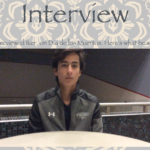
  • Video interview with a student from Mexico about the holiday
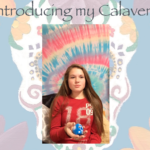
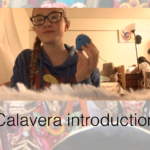
  • Video introduction of your calavera (3D skull)
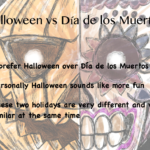
  • Reflection about the process and your views on Halloween vs. Día de los Muertos

Students with iPads used the Camera, AudioCopy and Keynote apps to record, film and create their presentations and Middle School students on their Chromebooks used ClipChamp, TwistedWave and Google Slides.

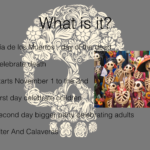
A selection of screenshots and images from some of the students’ final presentations can be seen below:

Posted in Tech in the Classroom | Comments Off on Spanish 1 – Day of the Dead Multimedia Project

Freshmen Skills – Google Search Skills

This week in the Freshmen Skills class students took part in a workshop on Google search skills. This included a discussion on different search engines available and an introduction into how Google actually works when you hit the search button – a good overview of this is detailed in the following video:

Next, we looked at the layout of a Google search results page and how to choose specific keywords from a question or statement to get the best results.

We then worked through a series of search challenges from this Google Form, which involved determining key words, completing multiple-part searches and some critical thinking on the part of the student:

Screen Shot 2016-11-03 at 15.19.20

Finally, after running through some examples as a group, where students explained their process to find specific answers, we looked at a selection of other tools that Google provides. This included Google News, Google Newspaper search, Google Books, etc.

Here is the slide deck from the lesson:

And more resources like these can be found on the Google Search Education site.

Posted in Tech in the Classroom | Comments Off on Freshmen Skills – Google Search Skills

Spanish 1 – Sugar Skulls in 3D

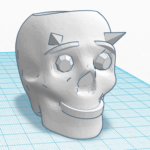
Spanish 1 students have just started a project based around the Dia de los Muertos (Day of the Dead) festival. One important aspect of this festival is creating and decorating calaveras (sugar skulls), which for this project we did using our new 3D printer.

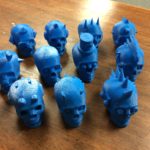
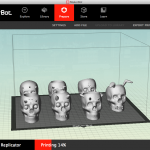
Using the Tinkercad 3D design software, students were given a simple skull template to work with and then added, resized and rotated different shapes and objects to decorate their skulls. Their final designs were then uploaded to the printer with six or seven different skull designs printed at one time. Students will next use sandpaper and acrylic paint to color their skulls, and then incorporate them into a multimedia presentation.

Some screenshots and photographs of the students’ work in Tinkercad, and the finished skulls freshly created on the printer can be seen below:

Posted in Tech in the Classroom | Comments Off on Spanish 1 – Sugar Skulls in 3D

3D Printer Update

Last year, thanks to a generous parent donation, the school was able to purchase a MakerBot Replicator 3D printer to be housed in the old Math Office. This machine allows us to print physical recreations of 3D models designed and drawn using software tools like Tinkercad or Sketchup.

Our initial aim was to use this new tool in Science, Art and Computer Science classes, but over the year we also saw interest from the English and Modern Languages departments. This year we hope to revisit and improve on some of these projects, as well as look at new ideas for using the printer (such as creating musical instruments or hunting calls). A couple of these projects are starting next week and the results will be posted here on the tech blog.

Below you can view a selection of photographs and screenshots of some of the different student projects completed last year:

And here are a couple of time-lapse videos of the printer in action, to give you an idea of how the software models are transformed into physical objects:

Posted in Tech in the Classroom | Comments Off on 3D Printer Update

French V – Hebron En Automne

French V students read L’Automne by Alphonse de Lamartine (1790-1869). In this beautiful poem, the poet compares the loveliness and sweet sadness of autumn to the twilight of his own life. One particularly moving stanza includes the lines, “I would now like to empty, right down to the dregs, this chalice, a mixture of nectar and bile, At the bottom of the cup where I have been drinking this life, perhaps I will yet find a drop of honey?”

In pairs, the students scouted locations around campus, and even a local mountaintop, to find views which matched the meaning and feeling of the poem. The students narrated their photo/video montages using the Camera app and iMovie on their iPads and provided French subtitles as well. This project helped the students to explore the full meaning of this lovely piece of literature.

Studying poetry in the target language allows students to get an intimate view into the psyche of a culture. The words chosen, the images depicted, and running through it all, the sound of the words themselves bring the students closer to the true essence of the language. This project effectively combined the sound, meaning, and feeling of the poem, giving the students a deeper and more meaningful experience.

Mrs. Reedy, French Teacher

Posted in Tech in the Classroom | Comments Off on French V – Hebron En Automne

World Religions – Comic Life Presentations

In World Religions, we wrapped our section on Hinduism up with a week long project on Hindu gods.  The class was split into three groups; each group then spent two days together in the library learning how to use online resources, compiling notes, and learning as much as possible about their deities (Ganesh, Hanuman, and Brahma).  The students spent the next two days collaboratively working on putting together their presentations using the Comic Life app on their iPads (which have all been compiled below), and on Friday gave group presentations to their classmates.

Mr. McNamara, World Religions Teacher

Posted in Tech in the Classroom | Comments Off on World Religions – Comic Life Presentations