Constitutional Foundations – Thanksgiving Comic Life

The main goal of the US History Comic Life project was to allow the students to express their understanding of the relationship between the Wampanoag people and the Puritan settlers from the first contact through the devastating impacts of King Philip’s War. The class used a variety of techniques to achieve their goal and produced some rather impressive results, which can be read below. These techniques included hand-drawn art work using the drawing tools in Notability, adding comic book filters to images from the internet and taking and importing screenshots of other media types such as YouTube movie clips.

Our next major project for the term will be the creation of a narrated Imovie highlighting important sites on Boston’s Freedom Trail. The four sections of Constitutional Foundations will be taking a train down to Boston on October 24th to see first hand where the Revolutionary War began.

Mr. Bonis, History Teacher

Posted in Tech in the Classroom | Comments Off on Constitutional Foundations – Thanksgiving Comic Life

Freshmen Skills – Notability on the iPad

Notability_for_iPhone__iPod_touch__and_iPad_on_the_iTunes_App_StoreDuring the Freshmen Skills class this week students were introduced to note-taking on the iPad, using Notability. The students were shown a TED talk on YouTube and for 5 minutes they had to take notes by typing into a Notability note, they then had to use the pen tools to take notes for another 5 minutes and for the final 5 minutes they had to use a pen and piece of paper.

We compared and contrasted these three different methods and discussed where and when each approach could be used. The students were then shown how to import their paper notes into Notability using the iPad’s camera and how they could annotate and highlight over the top of them.

Next, we looked at some of the other objects and documents you can import into Notability, such as web clips for saving and annotating web pages and using the Open in.. shortcut to import PDFs from myHebron. We also connected our Google Drive accounts within Notability to make it fast and easy to import previously saved documents.

The idea behind the lesson was to show the students how they could create and collect all the different notes, handouts, pieces of paper and resources from their classes digitally within one app.

A few screenshots of Notability can be seen below:

Posted in Tech in the Classroom | Comments Off on Freshmen Skills – Notability on the iPad

Upper School Technology Orientation 2016

Screen Shot 2016-09-13 at 10.42.24As part of Monday’s orientation schedule for the Upper School students attended a technology presentation in the chapel. To begin with students were asked to think about how they use technology in everyday life and what their role is in being a good digital citizen.

Digital citizenship can be defined as:

the norms of appropriate, responsible behavior with regard to technology use.

Using this definition and nine more specific elements we discussed the use of technology and the web in terms of respecting yourself and others, how to appropriately communicate with different members of the school community, and how to protect yourself online.

Next, we talked through general points to do with technology on campus including printing, myHebron, Google Apps, wifi and our iPad program. For the latter this included our classrooms expectations, downloading school apps and using their AppleIDs, and the policies and procedures in regards to device damage and loss.
We also went through some of the key apps they will be using in their classes and showed them this video from Apple which gives a really good overview of what we think an iPad classroom should look like.

Screen Shot 2016-09-13 at 11.20.48We finished the session by playing the technology integration showcase 2016 video to show new students all the different technology projects that were completed last year, remind returning students of some of their technology work and get everyone excited about using technology and their iPads in and outside of class.

Posted in Tech in the Classroom | Comments Off on Upper School Technology Orientation 2016

Tech Integration Showcase 2016

To wrap-up the academic year here is a compilation video showing off the breadth and depth of technology integration projects completed this year using the iPads, MS MacBooks, the computers labs and the 3D printer. All the projects included in the video have been written about on this blog and you can browse the different Tech in the Classroom posts using this link.
Posted in Tech in the Classroom | Comments Off on Tech Integration Showcase 2016

Biology – 3D Garden Design

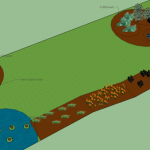
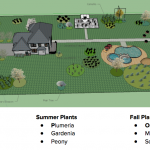
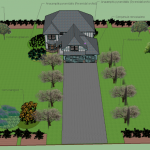
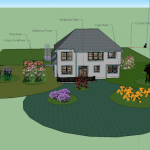
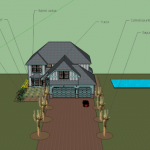
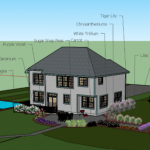
During the last couple of weeks of school Biology students’ final project was to design and plant a garden in 3D. Students designed their garden as a means to learn about plant structure and function. They produced a SketchUp 3D garden, three detailed drawings of their plants (one from each growing season) using the annotation features in Notability, and a presentation to pull all of this information together. Students has to choose a minimum (at least) 3 plants that mature per growing season. 

Ms. Griggs, Biology Teacher

A selection of the finished gardens can be seen below:

Posted in Tech in the Classroom | Comments Off on Biology – 3D Garden Design

Physics – 3D Printed Rocket Nozzles & Fins

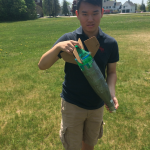
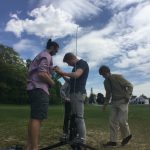
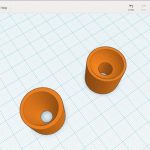
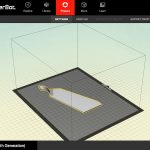
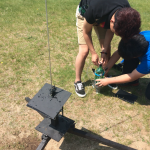
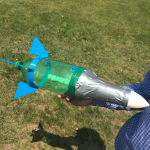
Physics classes have recently designed and built water rockets out of 2 liter soda bottles. After studying pressure and the properties of an ideal gas, students started their water rocket design. They used an online drafting program and designed rocket nozzles to maximize the height reached by the rocket. The school’s 3D printer was used to print out the nozzle. The students also studied some basic aerodynamics before designing and building a nose cone and fins to improve bottle stability. Last week our efforts were rewarded when we launched our rockets high in the sky and took our measurements!

Mr. Jennings, Physics Teacher

Posted in Tech in the Classroom | Comments Off on Physics – 3D Printed Rocket Nozzles & Fins

Computer Science – Raspberry Pi Robot

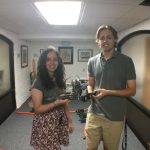
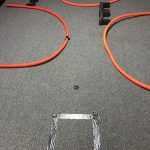
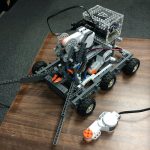
Our Computer Science class recently completed work on a new robotics project. Joe Dunn and Marina Bernadez designed and constructed a Mini-Golf robot named Wilson that worked its way through a small course and shot a ball towards the hole. The robot was built using Lego Mindstorm components and controlled using a Raspberry Pi and BrickPi adapter. The robot was controlled over the wifi from a laptop.

The Raspberry Pi is a small and inexpensive computer that you can use to learn programming through fun and practical projects. We started using them after spring break while learning how to code in the Python language. The BrickPi is a board that connects to the Raspberry Pi that allows it to send commands to Lego motors and allowed us to use custom Python scripts rather than the built-in Lego software.

Mr. DeSorbo, Computer Science Teacher

Posted in Tech in the Classroom | Comments Off on Computer Science – Raspberry Pi Robot

Spanish 1 – Likes & Dislikes Video Project

Spanish 1 students recently completed a video project detailing ten of their likes and dislikes. They first recorded themselves, using the Camera app on the iPads, acting out and speaking in Spanish about each of the likes or dislikes.

They combined these ten clips by importing them into an iMovie project and then added Spanish title text to each. Finally they added an an opening image with more Spanish title text, ending credits and transitions.

A few examples of their work are embedded below:

Posted in Tech in the Classroom | Comments Off on Spanish 1 – Likes & Dislikes Video Project

Grade 8 – Claymation

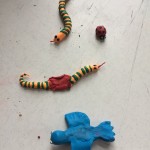
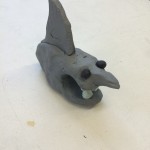
A technology integration project that was recently completed in 8th grade Art was claymation stop motion videos. This is when you turn a succession of individual still images into a movie by stitching them together and playing them at high speed.

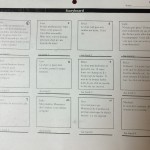
The students started off by looking at a variety of commercial stop motion projects, such as Kina Grannis’ music video, and then sketching out their own ideas on a storyboard. For this project their ideas had to be based around using clay models that could be moved a tiny bit at a time, as well as their own drawing skills and any other appropriate props such as cardboard and saran wrap for water.

We then discussed the workflow for creating these ideas into a finished movie, including setting up their workspace, using their MacBook cameras and Photo Booth to take the images and how much movement should be added with each new image (the focus here was getting the students to realize how many still images they would need to take even for just a 30-second film).

Once they had completed the filming we then looked at how to get the images into iMovie, how to remove the automatic Ken Burns effect that iMovie adds and changing the clip length for each image. They then added some basic editing options including titles, transitions and a background music track.
The final piece was then to present their finished movies to the entire Middle School during morning meeting, in the style of a film festival with an introduction from the makers and audience Q&A after the showing.
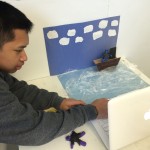
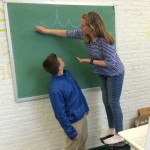
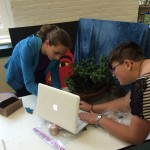
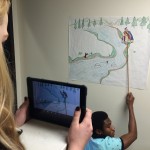
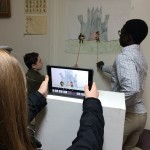
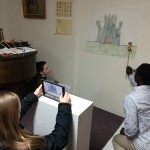
The completed films can all be seen below as well as a few shots of the class filming in the art studio:

Posted in Tech in the Classroom | Comments Off on Grade 8 – Claymation

Grade 6 Math – Shape Textbooks

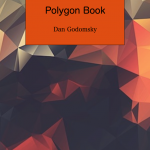
The grade 6s have been creating Shape textbooks in their Math classes using Pages. Each student was give a selection of shapes to research and then their books were planned out using a standard structure of:

  • Cover page
  • Introduction
  • Shape sections
  • Conclusion

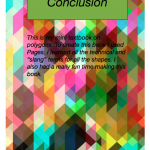
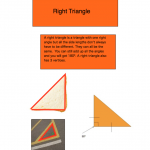
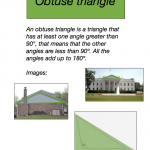
The main body of the books were the shape sections for which five shapes had to be described, including an overview of each shape, a technical drawing and pictures of the shape in real-life

As well as Pages, the students also used Google Drawings to create the shape’s technical drawings and the screenshot function within OS X to insert these into their books. They also used a few of the more advanced features within Pages: the drawing tool to outline their shapes on real life photographs; automatic page numbers and title headers; and borders, shapes and picture frames to enhance the layout of their content.

Here are a few screenshots of the books:

And embedded below are the finished books published online through ISSUU:

Posted in Tech in the Classroom | Comments Off on Grade 6 Math – Shape Textbooks