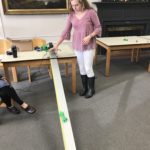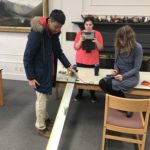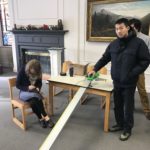
Conceptual Physics – 3D Musical Instruments

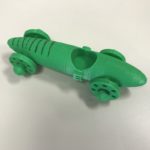
During the experimental schedule last week the Freshmen Conceptual Physics class worked through a design challenge to create unique mixed-media (and functioning) musical instruments, drawing on their knowledge of sound waves. At least one part of their instrument had to designed in Tinkercad and printed on the 3D printer, with the rest of the instrument created from materials in our maker-space.

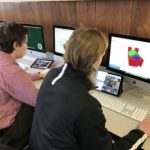
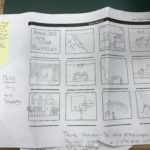
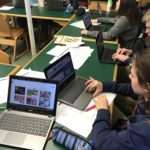
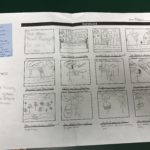
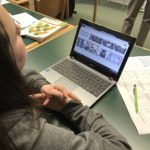
During the 2.5 hour class we spent some time discussing the types of musical instrument, how they work and what the cross-section of the main body of different instruments actually contains. Students then had 30 minutes to prototypes their ideas, 30 minutes to create precise technical drawings of their designs (either on paper or using a sketching tool like Notability on their iPads) and the final hour was spent in the Science computer lab creating their 3D parts.

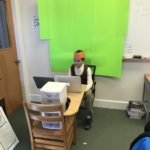
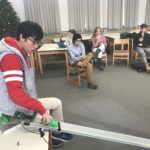
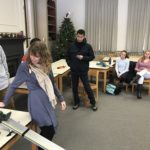
In a couple of weeks, once all the parts are printed, students will construct their instruments together, and then as a group create some kind of musical performance piece. A selection of photographs and screenshots of their work from the day can be seen below:

Posted in Tech in the Classroom | Comments Off on Conceptual Physics – 3D Musical Instruments

French II – Stop Motion Fairy Tales

During the winter months of snow, rain, sunshine and sleet, the French II class escaped to the always sunny world of French fairy tales, les contes de fées. The students read Charles Perrault’s tales of Le Petit Chaperon Rouge (Little Red Riding Hood), Cendrillon (Cinderella), and Les Souhaits Ridicules (The Silly Wishes).

In keeping with the fairy tale theme, each student researched and reported on a French castle of their choosing; they also wrote original fairy tales incorporating an extensive list of “fairy tale vocabulary.

The chef d’œuvre of this thematic unit was a group production of stop-action animation films of Le Petit Chaperon Rouge (les garçons) and Cendrillon (les filles). The students worked together to produce vivid back drops, charming figures whose “motion” was “stopped” and all participated in narrating these stories.

The finished products are delightful!

Mrs. Reedy, French Teacher

Posted in Tech in the Classroom | Comments Off on French II – Stop Motion Fairy Tales

Freshman English & Humanities – Greek Newspaper

A collaborative writing project the Freshmen recently completed last semester in their English and Humanities classes was the creation of an Ancient Greek newspaper. The students were split into groups and each was responsible for one section of the newspaper, from local news to sports and opinions – complete with professional design and a range of article content.

When crafting their section the groups had to follow these design rules:

  • Use color only in pictures (can use greyscale shapes)
  • Limit font use in your section (can use bold/italic)
  • Maximum of four columns per page
  • Need to include your section heading on first page
  • Local News section needs to include the masthead (name, date, price) and index information
  • Each article needs a headline, lede and byline
  • All photos must have a caption
  • Can use appropriate newspaper-style graphics, e.g. barcode, weather icon

All initial writing was completed and collaboratively edited in a shared Google Doc and then, after the group had decided on template design for their section, each student had to use the layout options in Pages to create section pages from their own writing. This meant that students all had to contribute content for the newspaper as well as learn hands-on design skills on the iPad.

Below are a few shots of the students working on their iPads, presenting their finished work to the class, and examples of the different page layouts:

And the finished newspaper, with all the sections stitched together to create one complete document, is published below via ISSUU (with a direct link here):

Posted in Tech in the Classroom | Comments Off on Freshman English & Humanities – Greek Newspaper

French III – French Cathedrals in 3D

Many years ago, my husband and I read Ken Follett’s The Pillars of the Earth before we traveled to England. That book gave us an excellent background on gothic architecture and it helped us gain a better understanding and appreciation of these man-made marvels. When I traveled to France for the first time in 1988, my visit to Chartres Cathedral was the high point of the trip.

When I began teaching French in the 1990’s, I decided to teach my students about gothic architecture so that when they one day visit France, they, too, will look knowledgeably at these miraculous skyscrapers of long ago. They will recognize the cruciform floor plan where the north-south nave is crossed by the east-west transept. They will appreciate the flying buttresses giving support to the vaulted ceiling. They will admire the pointed gothic arches surmounting the tracery of the stained glass windows, including the magnificent rose windows.

And it worked! I received this e-mail last summer from a previous student of mine:

“I am in Malta on vacation and doing sightseeing. I’ve visited three different neo-gothic cathedrals and the knowledge from our project helped alot and it was great.”

While the French III students were reading an excerpt of Les Misérables,“The Bishop’s Candlesticks”, in class, they each researched a gothic cathedral. They were required to draw and define a number of architectural terms, research the history of their own cathedral, and do an oral presentation, partially en français, to their classmates.

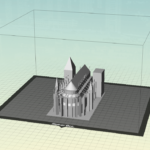
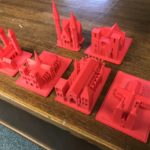
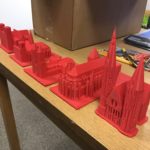
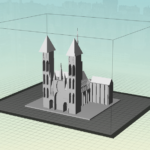
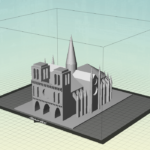
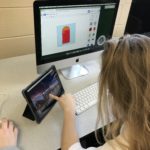
This year, with the help of Mr. Crofton, we added something new and exciting to the project! The students used Tinkercad and the 3D printer to make models of their cathedrals. To do this, each student had to look carefully at the cathedral – Where do the flying buttresses intersect with the roof? – Are both of the towers exactly the same? – How does the interior floor plan compare to the exterior design? By the end of the design phase, the students really knew their cathedrals. I so hope that someday these students will visit these cathedrals!

Mrs. Reedy, French Teacher
Posted in Tech in the Classroom | Comments Off on French III – French Cathedrals in 3D

Digital Citizenship in the Middle School

Digital Citizenship is a concept which helps teachers, technology leaders and parents to understand what students/children/technology users should know to use technology appropriately. Digital Citizenship is more than just a teaching tool; it is a way to prepare students/technology users for a society full of technology. Digital citizenship is the norms of appropriate, responsible technology use. Too often we are seeing students as well as adults misusing and abusing technology but not sure what to do. The issue is more than what the users do not know but what is considered appropriate technology usage. [1]

Technology is a major part of everyone’s life and with the Middle School Chromebook program (and previously the MacBook program) technology is a also a major part of the classroom at Hebron Academy. With this is mind we have recently started a digital citizenship curriculum in the Middle School, with classes held once per semester during advisories. The main aim of this new program is to get students thinking about how and why they use technology, as well as how it overlaps with all aspects of their everyday lives.

For the first introductory class, which took place last week, students watched a quick video to start them thinking about what kinds of things make up digital citizenship, and then completed a number of practical tasks to work out just how many internet-connected devices they used on a frequent basis and the sites, apps and services they access – with the end goal being meaningful classroom discussion on whether they thought they were actually digital citizens and what that meant to them.

The slideshow the faculty advisors worked though can be seen below:

And future topics we are going to be exploring in these sessions include:

  • Digital footprint, social media awareness, screen time
  • Permission to share photos and videos of others
  • Appropriate use of technology tools in class and study hall
  • Cyberbullying, phishing, viruses
  • Fake news, appropriate online content
Posted in Tech in the Classroom | Comments Off on Digital Citizenship in the Middle School

Literature & Composition – Publishing Short Stories with Pages

Students in the Elements of College-Level Literature and Composition class wrote serial stories over the two and a half weeks between fall term finals and winter break. These were tales told in the style of Mark Twain, who wrote stories in chapters ending with dramatic cliffhangers each week as a way to sell periodicals. The students included four parts for each story, three with cliffhangers and one with a twist, that could be on any subject they wanted. The work of all the seniors was exceptional and expressive of their individualism, ranging from murder mysteries to romances to daring international adventures. The works are being published digitally with custom layouts created using Pages on the iPad, and artwork from the title pages of each story will be on display in the art gallery in Sturtevant Dorm soon!
Mr. Paul, English Teacher

The students’ complete comics are embedded below as an ebook through ISSUU. Click on the full-screen button to enlarge the document or view it in a new browser tab from this link.

Posted in Tech in the Classroom | Comments Off on Literature & Composition – Publishing Short Stories with Pages

Grade 6/7 Art – Digital Landscapes

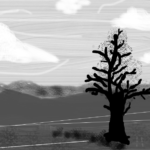
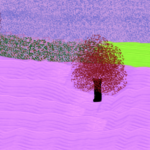
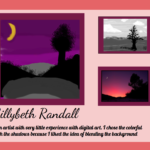
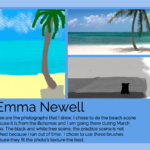
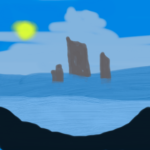
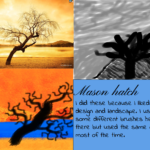
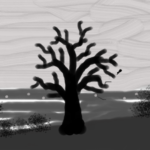
For the past two weeks the grade 6/7 art class has been working on a digital landscape art project using the web app Sumo Paint and their Chromebooks. This is a great painting app that tries to mirror paint and paint brush effects in software, allowing students to create digital artwork with strokes on the trackpad.

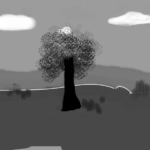
The students started off by experimenting with the different brushes and effects in Sumo Paint, and then used these skills to create their interpretation of a black and white landscape provided to them. We also discussed how a digital image is composed of layers, how to work from the back most layer forward when creating their artwork, and to try and use a different brush style for each layer.

Next, they had to select their own color landscape image, break it down into layers and recreate it building on the skills and techniques they had learned from drawing the previous image. The final reflective step was to create a gallery-style poster in Google Drawings complete with their final image, the photograph they had chosen, their black and white practice image and an artist statement describing their work.

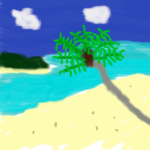
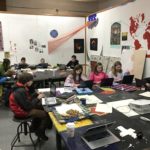
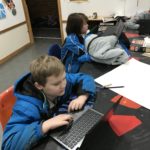
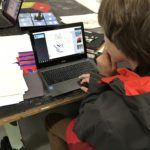
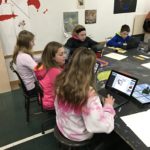
Here is a selection of their black and white and color landscapes, as well as some of the gallery posters they created (and some of the students working on their Chromebooks):

Posted in Tech in the Classroom | Comments Off on Grade 6/7 Art – Digital Landscapes

New Google Sites

Google has recently completely overhauled their website creation tool Google Sites (and this is now live on our domain), with the creation interface now being very similar to the updated Google Forms tool that was rolled out last year.

We used the old version of Google Sites for a number of different projects (including faculty professional development portfolios), but the confusing layout and hidden template and design options made for a steep learning curve. This new version is much much better and is a great tool for creating classroom websites, sports team information pages and for student technology projects such as student e-portfolios.

Note that this tool will only work in the desktop version of Chrome and not on the iPads. 

To get to the new Google Sites you need to access it via the New button in Google Drive (you can still access the old version and any old sites you may have created from here):

Then to create a new site click the red plus button in the bottom right hand corner of the page. You will be presented with this interface for the first page of your site:

Hover the mouse over any object you add to edit it or see various options for just that object. As with the previous Google Sites embedding Google Drive files, Google Calendars, YouTube videos and Google Maps is extremely easy.

To add another page to your site click the Pages tab, then click the blue plus button. New pages are automatically linked together and you can see these links in the top right hand corner of each page:

The new Google Sites does also have a range of professional-looking templates and to switch between these click on the Themes tab. Just click a template name to change the theme, and choose a palette color from the colored circles underneath:

Finally, to publish your site just click the purple Publish button at the top of the screen. Here you can set the site address (something like http://sites.google.com/
hebronacademy.org/yoursitename), and whether only people within Hebron Academy or the entire internet can view your site:

For a more interactive look at the new Google Sites this walk-though video gives a good overview of the new layout and creation steps:

Posted in Professional Development | Comments Off on New Google Sites

Grade 8 English – The Martian Chronicles Comic Book

The eighth graders recently read The Martian Chronicles by Ray Bradbury in English class. After discussing motifs and themes in the novel, the students chose a chapter or section of the book to portray in the form of a comic strip. Character, plot, motif and theme were required literary elements in their stories along with narration, dialogue, and at least one onomatopoeia. The process was started with a storyboard to plan out the strip on paper. Mr. Crofton then provided guidance in the technical aspects of building the comic strip using Google Drawings. The students spent several class periods building their comics from scratch and the finished results were then published into an ebook using ISSUU. Talent and creativity merge here to show us how difficult it could be to get humans civilization established on Mars! Enjoy the eighth graders interpretations of Bradbury’s futuristic ideas.

Mrs. Drown, English Teacher 

The students’ complete comics are embedded below as an ebook through ISSUU. Click on the full-screen button to enlarge the document or view it in a new browser tab from this link.

Posted in Tech in the Classroom | Comments Off on Grade 8 English – The Martian Chronicles Comic Book

Upper School Spanish – Virtual Expeditions with Google Cardboard

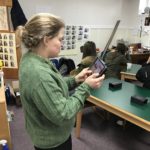
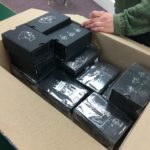
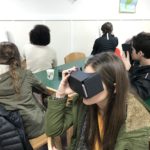
A recent addition to the classroom resources provided by the technology department is a full set of Google Cardboard kits. These are cardboard viewers that you can slot a smartphone into and then hold up to your eyes to experience virtual reality.

There are multiple different ways to use VR in education, and we are currently running teacher professional development sessions looking at:

  • YouTube 360 degree videos, which are recorded with special cameras to provide a completely 360 degree view of the movie content. There is a wide selection of educational content that has been recorded using this technique, from Planet Earth documentaries to science experiments
  • Google Street View, which allows students to virtually visit most locations on earth, using Google Maps street view images and data
  • The Google Arts and Culture app, in which a range of museums and galleries have created virtual exhibitions and street view style tours of their collections
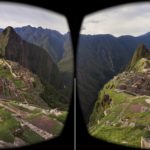
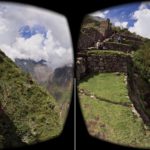
  • The Google Expeditions app, which allows an entire class to go on a virtual field trip, from places like Machu Picchu to Antarctica and to the International Space Station. Each location has multiple points of interest and provides the teacher with detailed content and Q&A for their class.

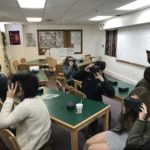
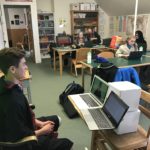
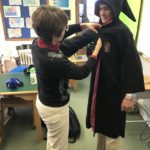
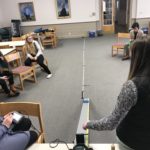
We recently trialled Google Expeditions in Mrs. Bryan’s Spanish classes. Her students had recently been studying the location and history of Machu Picchu and as a culminating event for the project she took them on a virtual field trip to the site. Mrs. Bryan lead them on a tour of the complete area, looking at the overall layout of the structures, how the buildings had been constructed, as well as stopping by the local mountains and rivers.
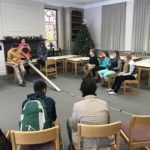
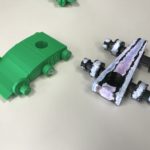
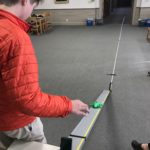
A selection of photographs from one of her classes’ expeditions can be seen below:

Posted in Tech in the Classroom | Comments Off on Upper School Spanish – Virtual Expeditions with Google Cardboard